

Page: Usage
Who this is for: admins and anyone who keeps an eye on cost and limits.
Before you start: you need the View usage permission. Every human role has it; without it, the page says so and tells you to ask an admin. Downloading invoice data needs Manage billing, which only admins have.
Select Monitor in the top bar, then Usage in the sidebar. The page shows what your workflows used in one month, against your plan’s limits.
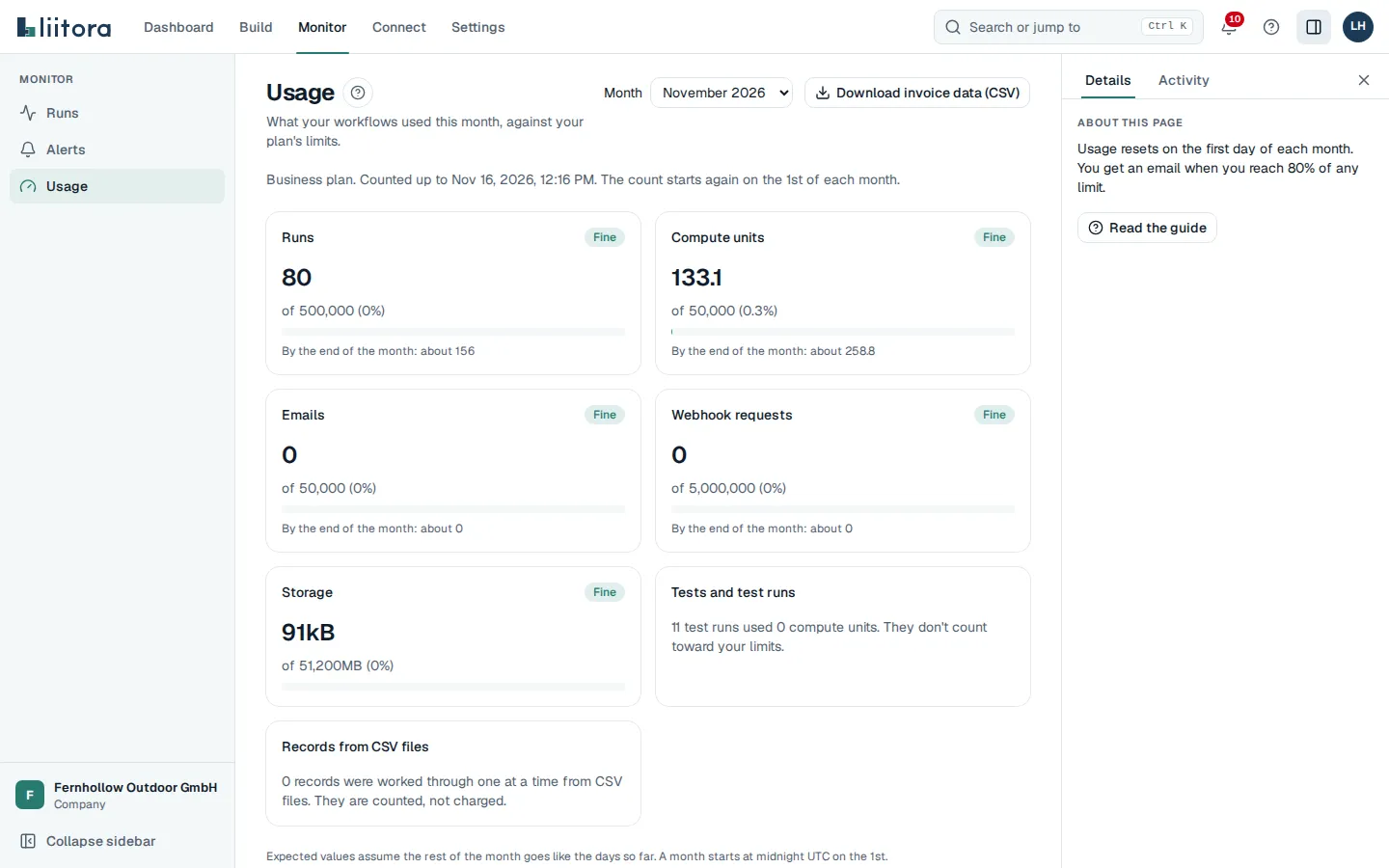
The cards
Section titled “The cards”A line names your plan, when the numbers were counted and that the count starts again on the 1st of each month. Then the cards:
- Runs, Compute units, Emails, Webhook requests and Storage: what was used, the limit and the share of it, with a bar. Storage is what is stored right now; the others count the month.
- Each card has a status: Fine, Near the limit (at 80% or past a soft limit) or Over the limit. Your plan sets no limit or Unlimited on your plan replace the limit where that applies.
- By the end of the month: about …: a forecast from the days so far. It assumes the rest of the month goes like the days so far. A month starts at midnight UTC on the 1st.
- Tests and test runs: what tests used. They don’t count toward your limits.
- Records from CSV files: how many records steps worked through one by one with
for_each_record, test runs included. Counted, not charged, and shown even at 0. - Under Runs, a line such as 500,000 from your plan and 50,000 from run packs this month shows when a run pack adds to your plan’s runs.
During a trial
Section titled “During a trial”A box above the cards says when your trial ends (Your trial ends on …) or that it has ended, and until when admins can sign in and export your data before the workspace is deleted. See The trial.
Compute units per day
Section titled “Compute units per day”A bar per UTC day of the month, up to today. Hover over a bar to see the day, the compute units and the number of runs. If the numbers can’t load, select Try again.
Per workflow
Section titled “Per workflow”Each workflow that ran in the month, with Runs, Failures, Compute units and Share of compute, the busiest first. The table shows the top 20, and a button such as Show all 34 workflows lists the rest. A note under it counts the workflows that didn’t run. Select a name to open the workflow. A deleted workflow stands for one that no longer exists. If the list can’t load, select Try again.
Month and invoice data
Section titled “Month and invoice data”- Month picks the current month or one of the five before it.
- Download invoice data (CSV) saves one line per day and kind of use for the chosen month, with totals. Only admins see it.